Pinterest Color Palette Generator — Extract Colors From Any Image in Seconds
Pinterest Color Palette Generator to extract colors from any image and create stunning color combinations for your pins, brands, and creative projects. Discover trending palettes designed to stand out in the Pinterest feed.
Upload & extract
Get a palette from any image
Upload a mood board, a photo, or a pin you love — we'll pull a ready-to-use 6-color palette with hex codes, built for Pinterest-friendly designs.
Palette tool by Gabi Digital Products — browse our Pinterest templates in these colors.
Ready-made palettes
Palettes based on our trend guide
Six aesthetics from our 2026 graphic design trends guide. Click any color to copy the hex, or explore the full guide for the matching fonts and free graphics.
Questions?
Yes, you can search Pinterest by color palette using keywords like "neutral Pinterest palette", "pink aesthetic colors", or "earthy color palette". You can also use a Pinterest color palette generator to extract colors from any image in seconds and create matching designs for your own pins.
The best Pinterest color palette generator depends on what you need. A Pinterest-focused tool helps you extract colors from images, discover aesthetic combinations, and create palettes specifically for pin designs, branding, and visual content.
Save the Pinterest image you like, then upload it into a color palette generator to extract colors from any image in seconds. The tool analyzes the image, finds the dominant colors, and gives you matching HEX codes you can use in Canva, Photoshop, or other design tools.
Colors that often perform well on Pinterest include warm tones, soft neutrals, earthy greens, pastel shades, and high-contrast combinations. The best palette depends on your niche, but visually consistent and eye-catching colors usually help pins stand out.
Choose an aesthetic style such as minimal, luxury, vintage, pastel, or earthy — our 2026 graphic design trends guide breaks down six trending aesthetics with ready-made palettes. Then collect inspiration images that match your style, and a color palette generator can extract the main colors to help you build a consistent look for your Pinterest account.
Yes. You can copy the HEX color codes from your generated palette and add them to Canva designs. This makes it easy to create consistent Pinterest pins, templates, brand graphics, and social media content.
The 60-30-10 rule means using one main color for about 60% of your design, a secondary color for 30%, and an accent color for 10%. This creates balanced Pinterest pins that feel professional and visually appealing.
You can find trending palettes by exploring popular Pinterest searches, analyzing successful pins in your niche, using a Pinterest color palette generator to discover combinations from high-performing visual content, or reading up on what's trending in digital products right now for more context on what buyers are responding to.
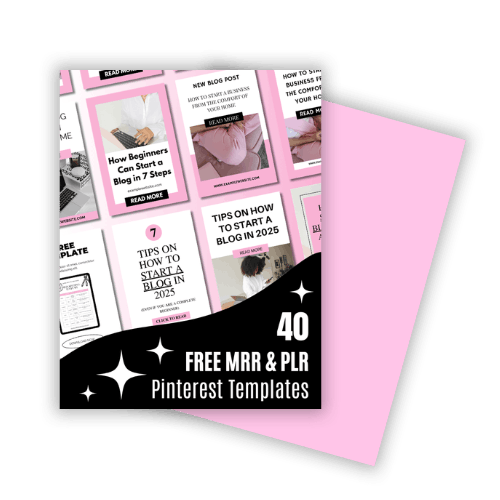
40 Ready-to-Post Pinterest Templates
Stop spending hours staring at a blank screen. I've designed 40 high-converting Pinterest templates to help you grow your brand without the design stress.
These templates are fully editable in Canva, so you can customize the colors, add your own images, and make each design fit your brand. Need color inspiration? Use the Pinterest Color Palette Generator to extract colors from any image, pin, or mood board and create your own custom combinations.
GET THE FREE TEMPLATES